
Andante
At this pace, you’ll get there.
For big goals that take months: books to read, words to write, hours to bill, miles to run. Every day, Andante tells you how much it would take today to stay on pace.

At this pace, you’ll get there.
For big goals that take months: books to read, words to write, hours to bill, miles to run. Every day, Andante tells you how much it would take today to stay on pace.
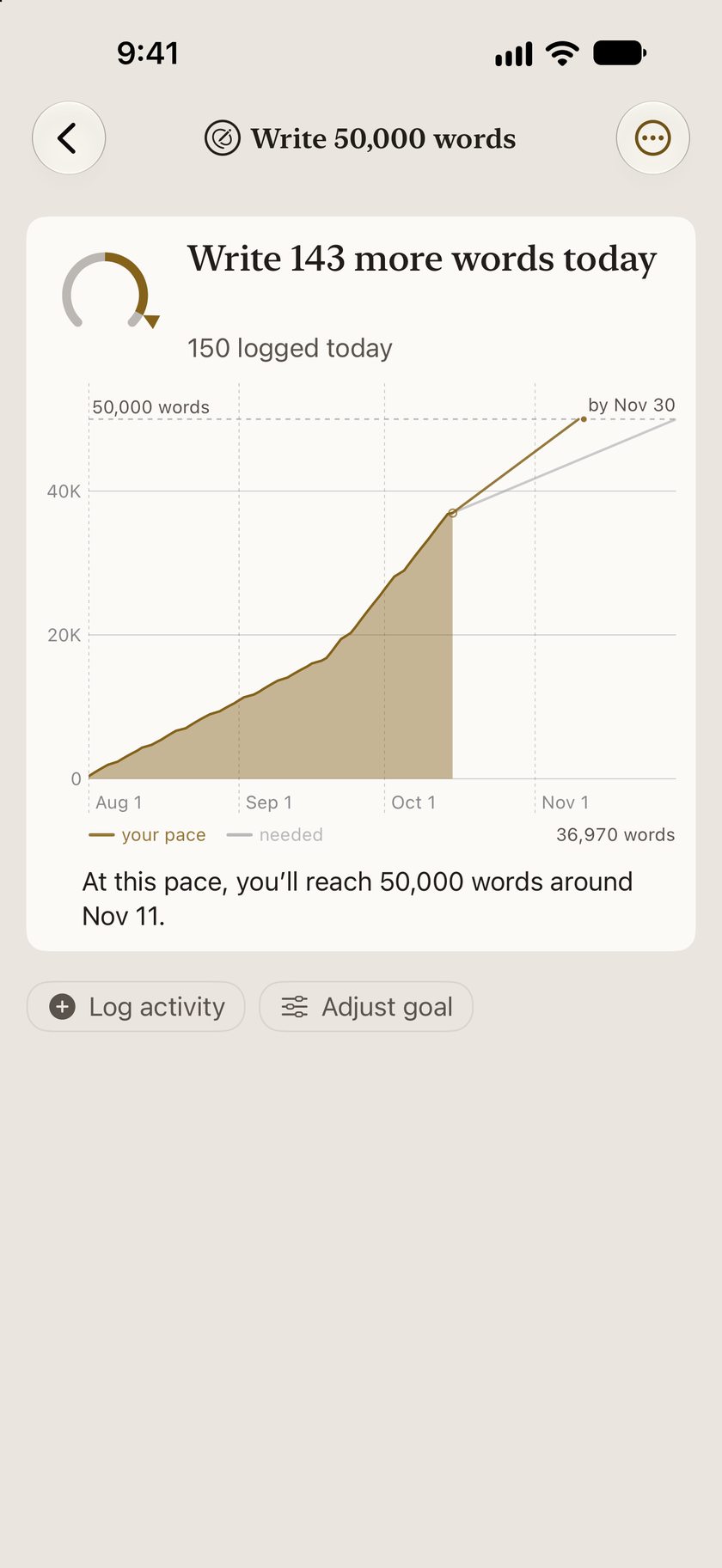
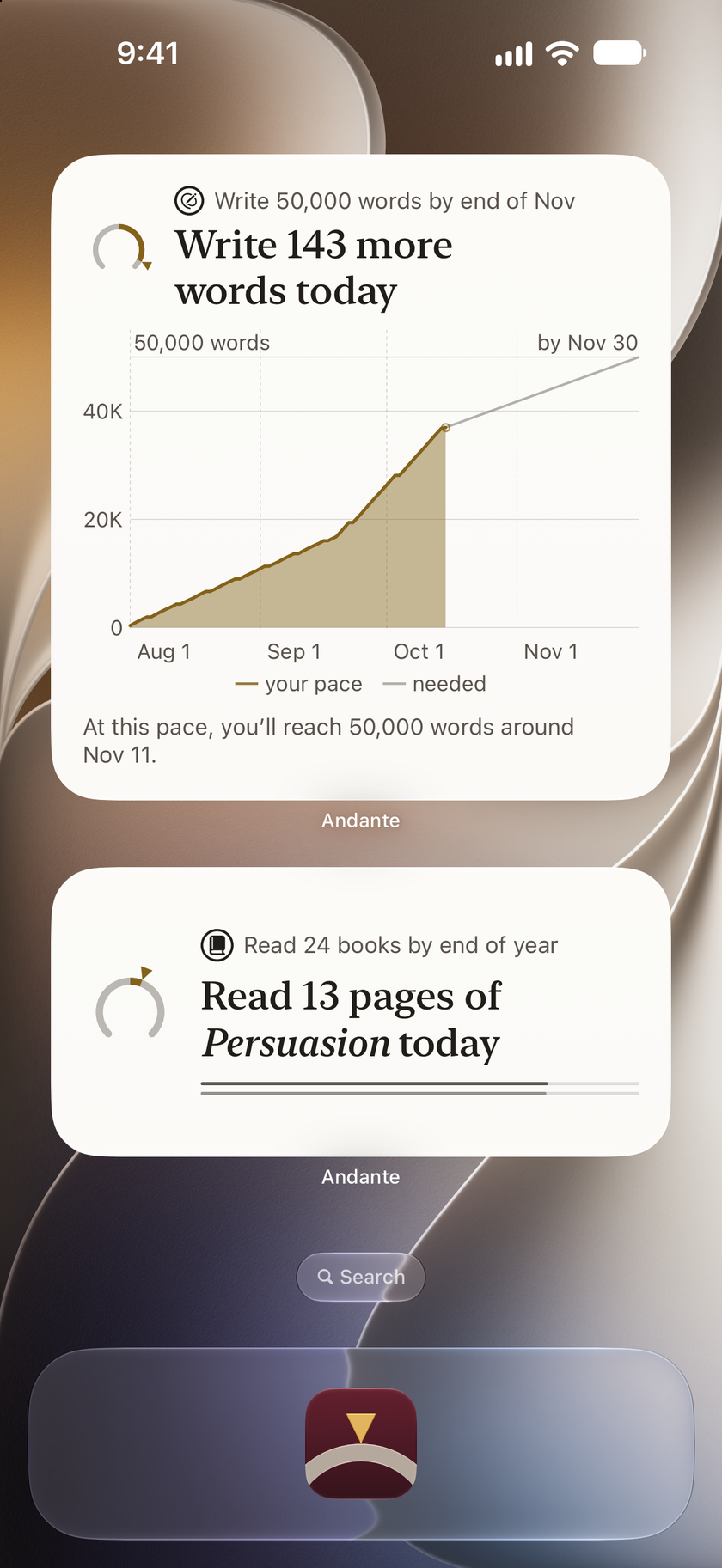
Start with a sentence: I will write 50,000 words by November 30. Andante works out what that asks of you today. Do that much, and tomorrow asks the same. Do more, and the ask comes down. Have a lighter day, and Andante simply recalculates from there.
There’s no streak to protect, and Andante doesn’t judge you for taking a day off. Andante is a tempo marking for a moderate, unhurried pace. The app isn’t a habit tracker or a to-do list. It’s for goals you work through over weeks or months, and the number you see today already accounts for everything that came before, including the days you took off and the days you worked ahead.
Every goal has a pace gauge, a small dial with a triangle that points to the top when you’re on pace, swings left as you fall behind, and swings right as you get ahead. If you consistently do more than the daily ask, the pace gauge swings farther to the right as you build cushion.
Behind
On pace
Ahead
Tell Andante what you’d like to do, how much, and by when. Log what you do each day, and rest when you want to.
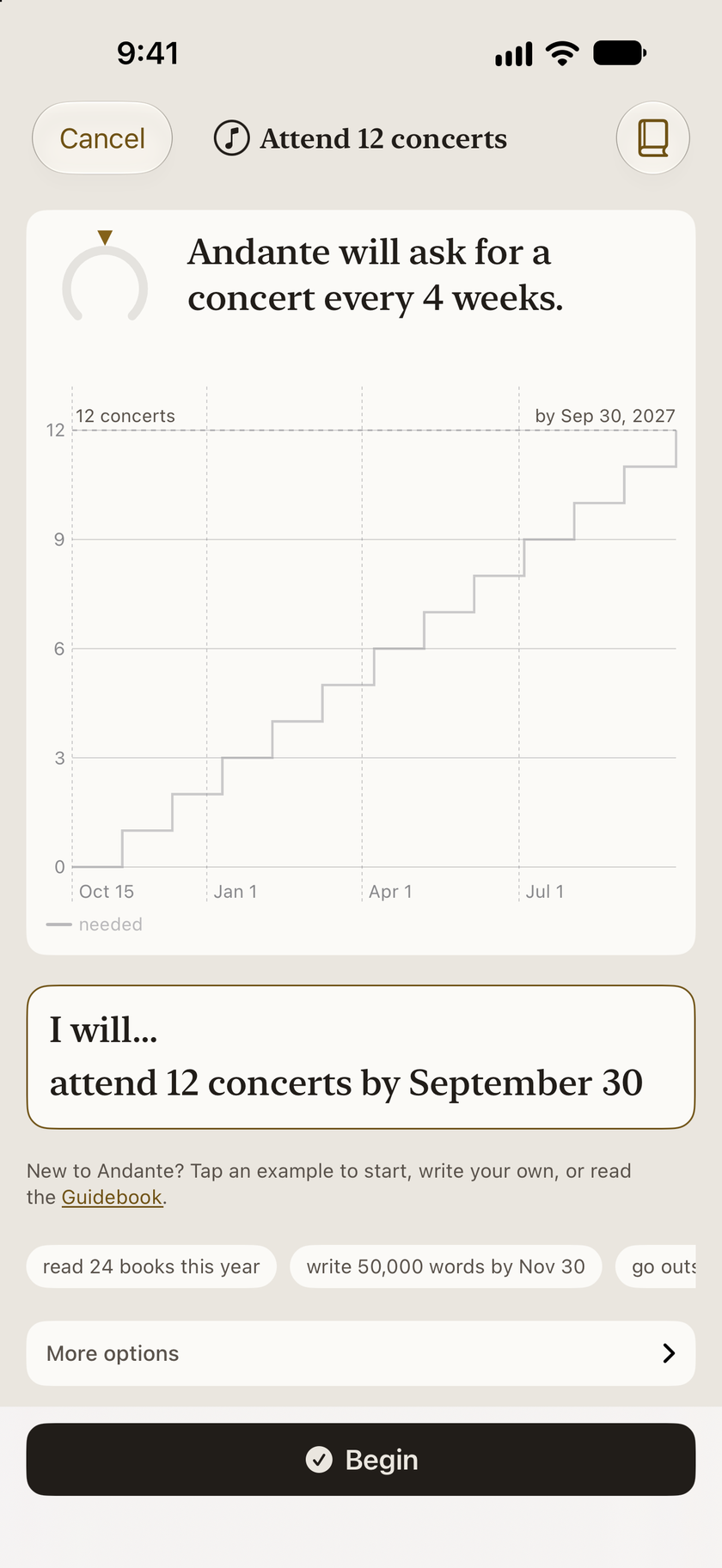
As you type your goal, a chart shows the pace it starts at, so you can change the amount or the goal date until the pace looks realistic.
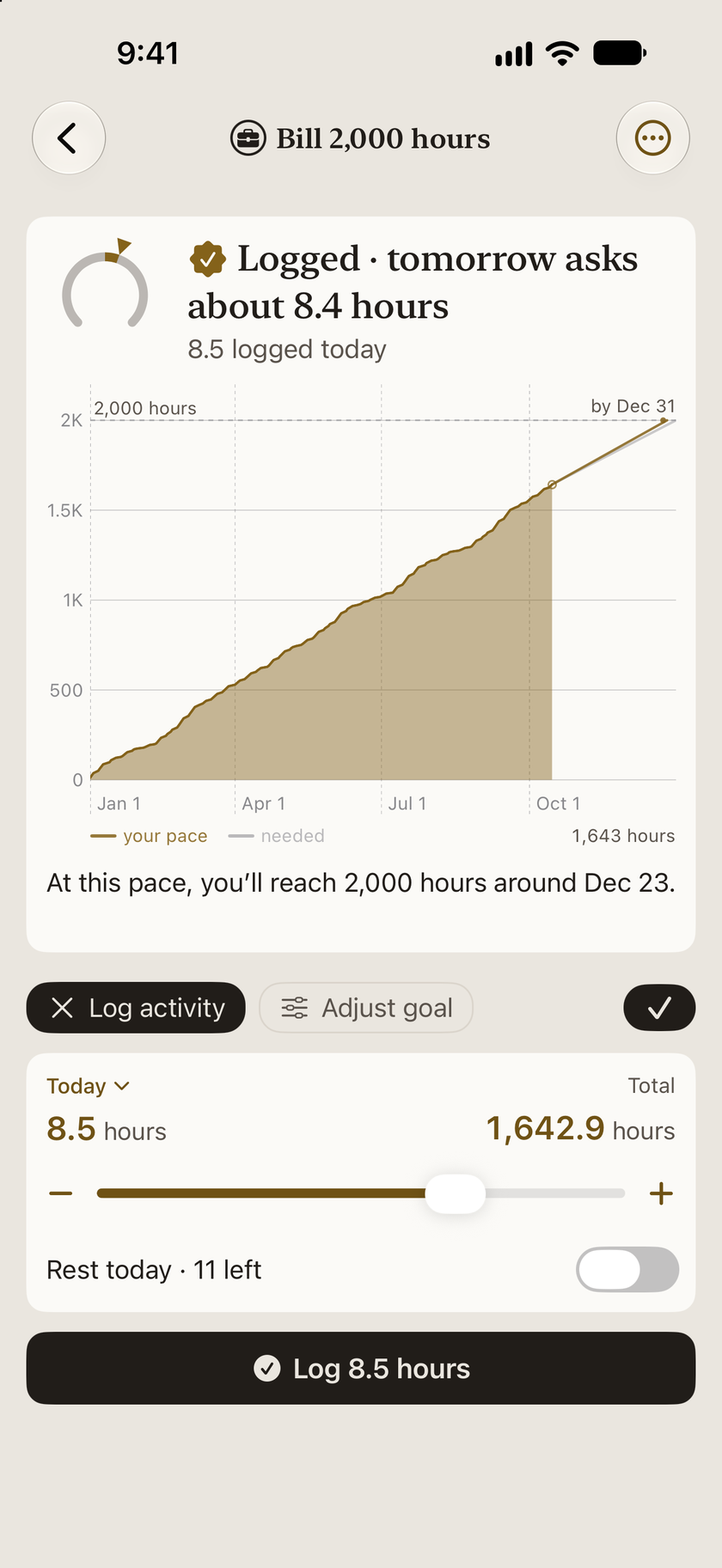
Each day, log what you did by dragging a slider or typing your new total. If you miss a few days, enter where you are now, and the math comes out the same.
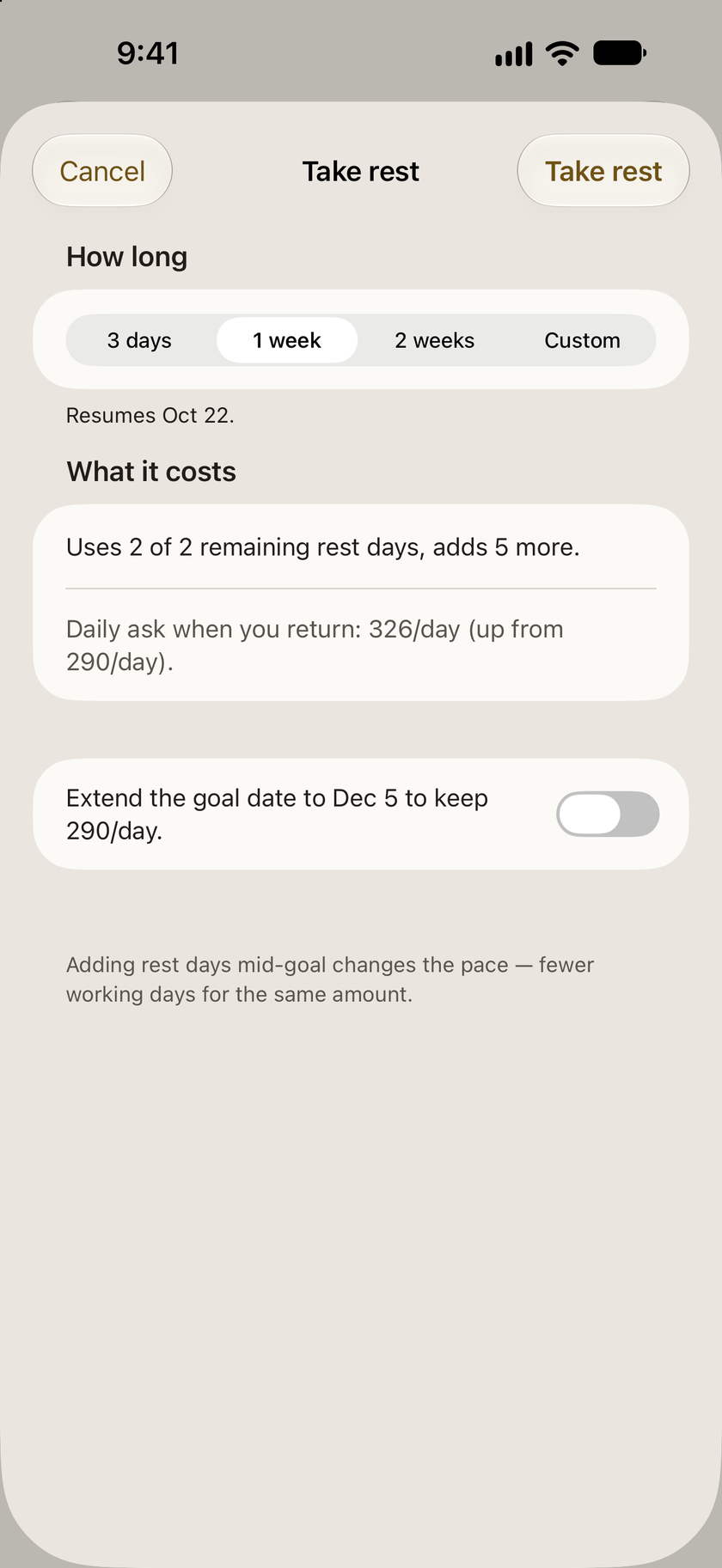
Choose which days of the week you work on a goal, and plan rest days for holidays and vacations. When you take one, your pace doesn’t go up the next day.
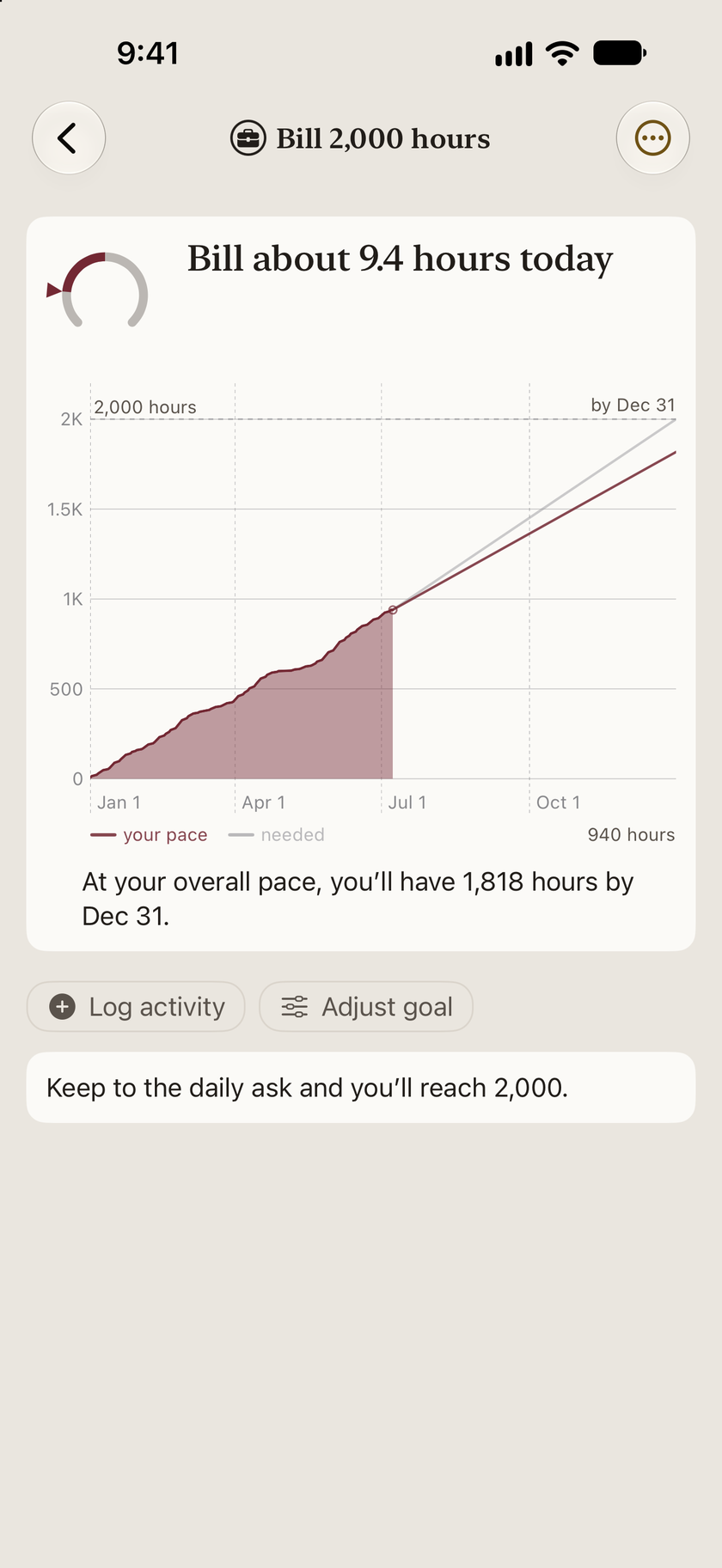
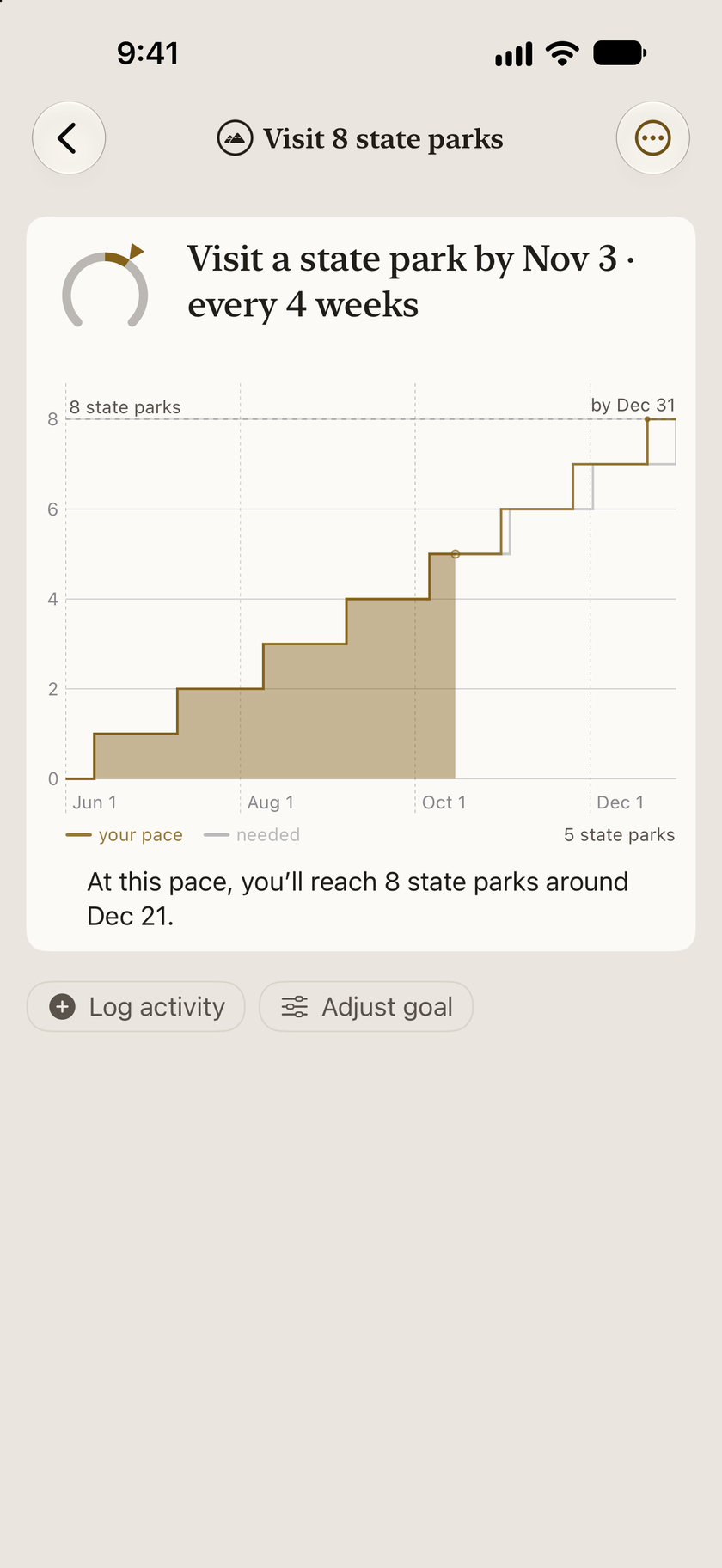
The chart shows your progress so far, with two lines branching off toward your goal date. One predicts where you’ll be based on your average pace so far, and the other one shows the pace you need—faster or slower—to reach your goal on the goal date.
Some goals can add up every day, like writing words, billing hours, or running miles. Their charts climb in a smooth line, and the daily ask is an amount for the day, like Bill about 9.4 hours today.
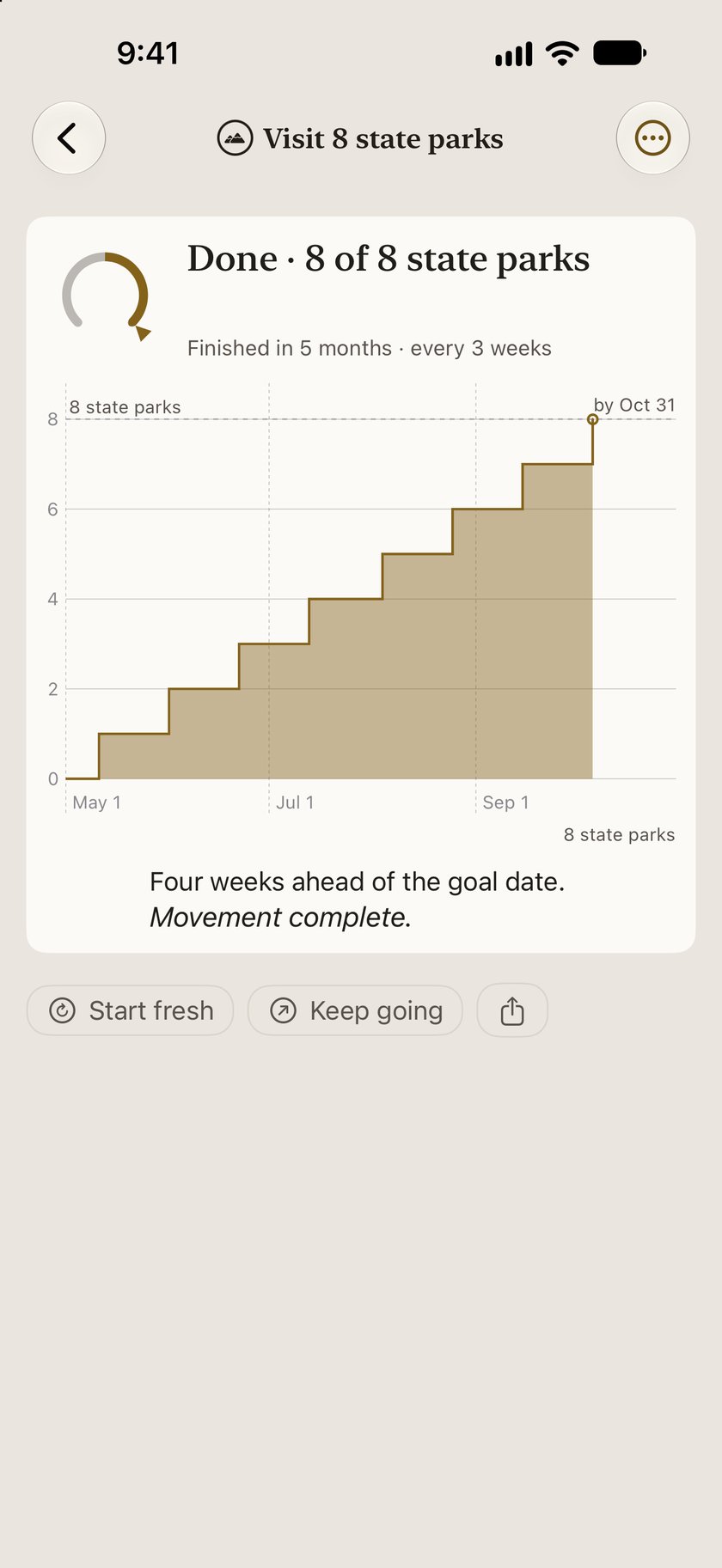
Other goals count things you finish one at a time and days apart, like attending concerts or visiting state parks. Andante won’t ask you to visit a fraction of a state park each day. Instead, it gives you a date and a rhythm like Visit a state park by Nov 3 · every 4 weeks. The chart climbs in steps as you finish each one.
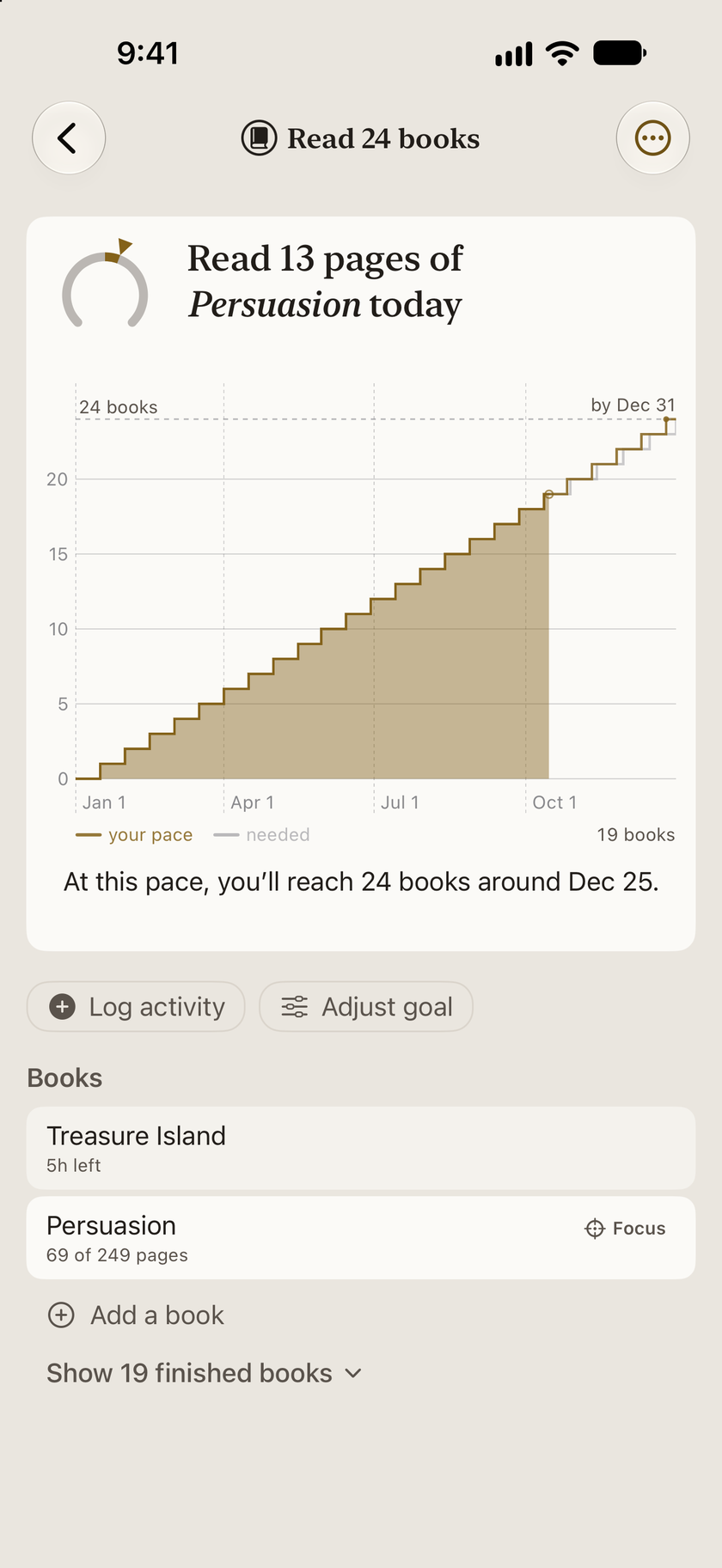
Reading goals get a bookshelf. When your goal counts books, Andante adds a shelf to the goal’s page, below the chart. Add the books you’re reading and how long each one is.
Once a book has a length, your goal asks for that book’s pages each day, Read 13 pages of Persuasion today, or for minutes if it’s an audiobook. That’s what’s left of the book, spread over the days until your next book is due, so you stay on pace for your whole reading goal.
When you finish a book, it counts toward your goal, the chart goes up a step, and your focus moves to the next book on the shelf.
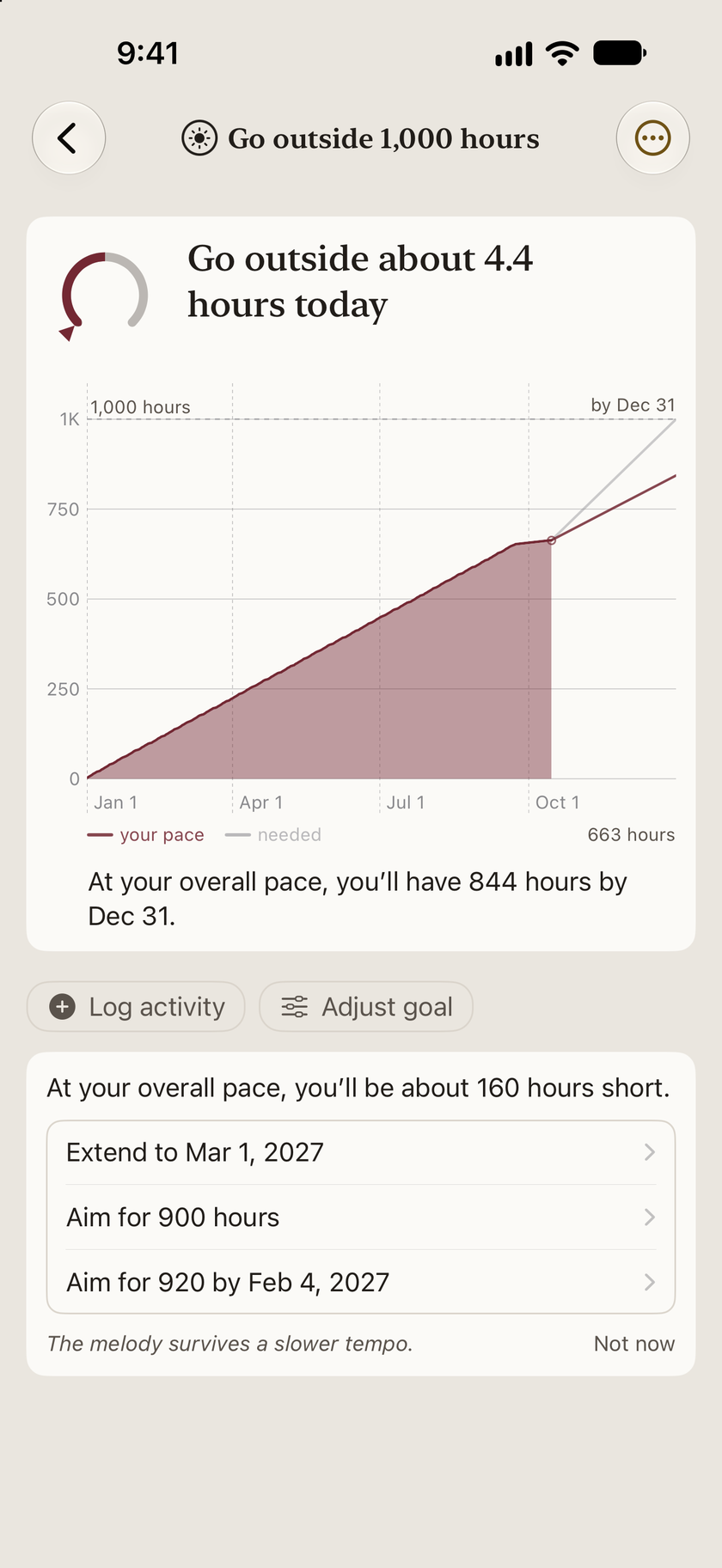
Most of the time, the pace takes care of itself. A slow week nudges the daily ask up a little, and a strong one brings it down. But sometimes a goal drifts far enough that no reasonable pace will get you there by the goal date.
That’s when Andante offers Smart Adjust. It tells you how far short your pace would leave you, like At your overall pace, you’ll be about 160 hours short, and suggests a later goal date, a smaller amount, or a little of both. Tap one to see it on the chart. Nothing changes until you save.
If the goal date isn’t yours to move, tell Andante to hold the goal firm, and it won’t suggest changes.
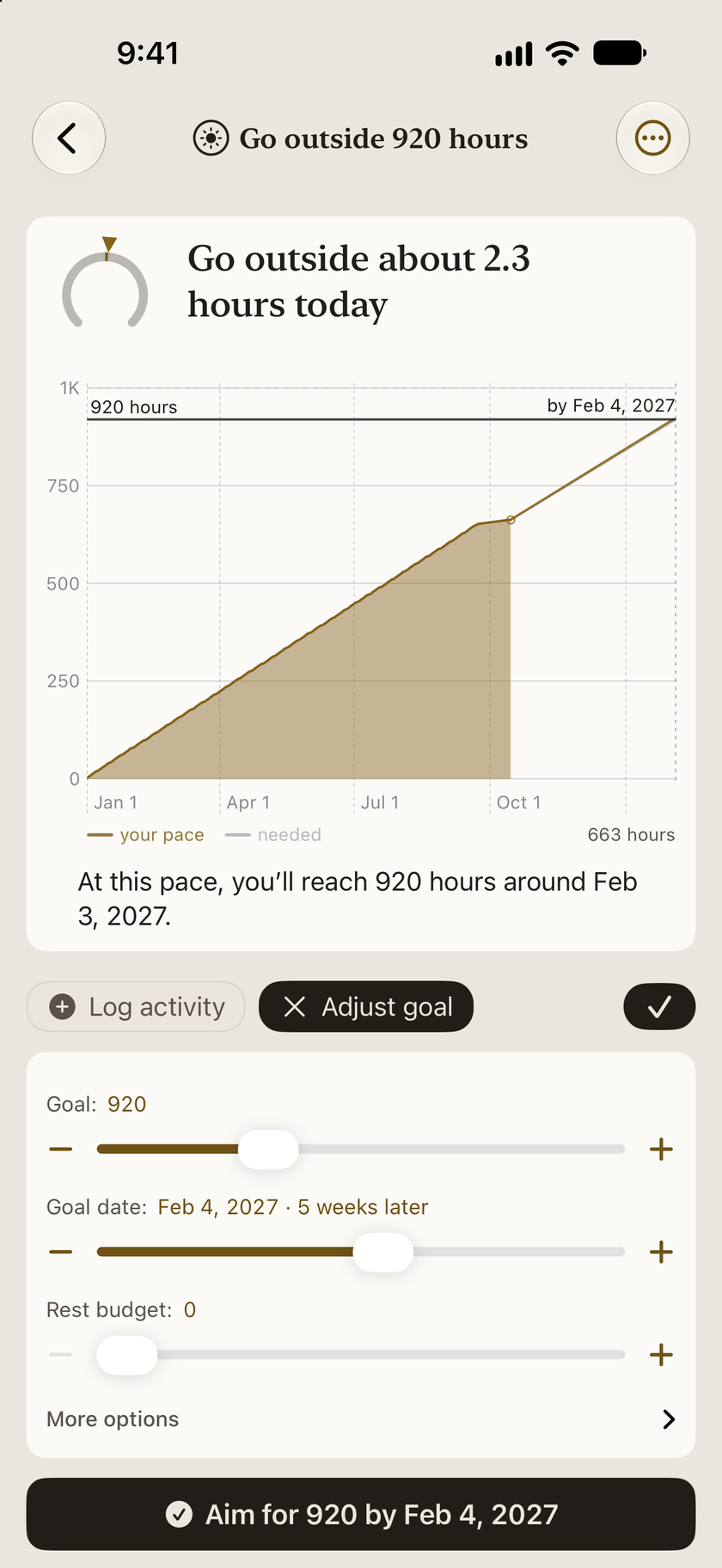
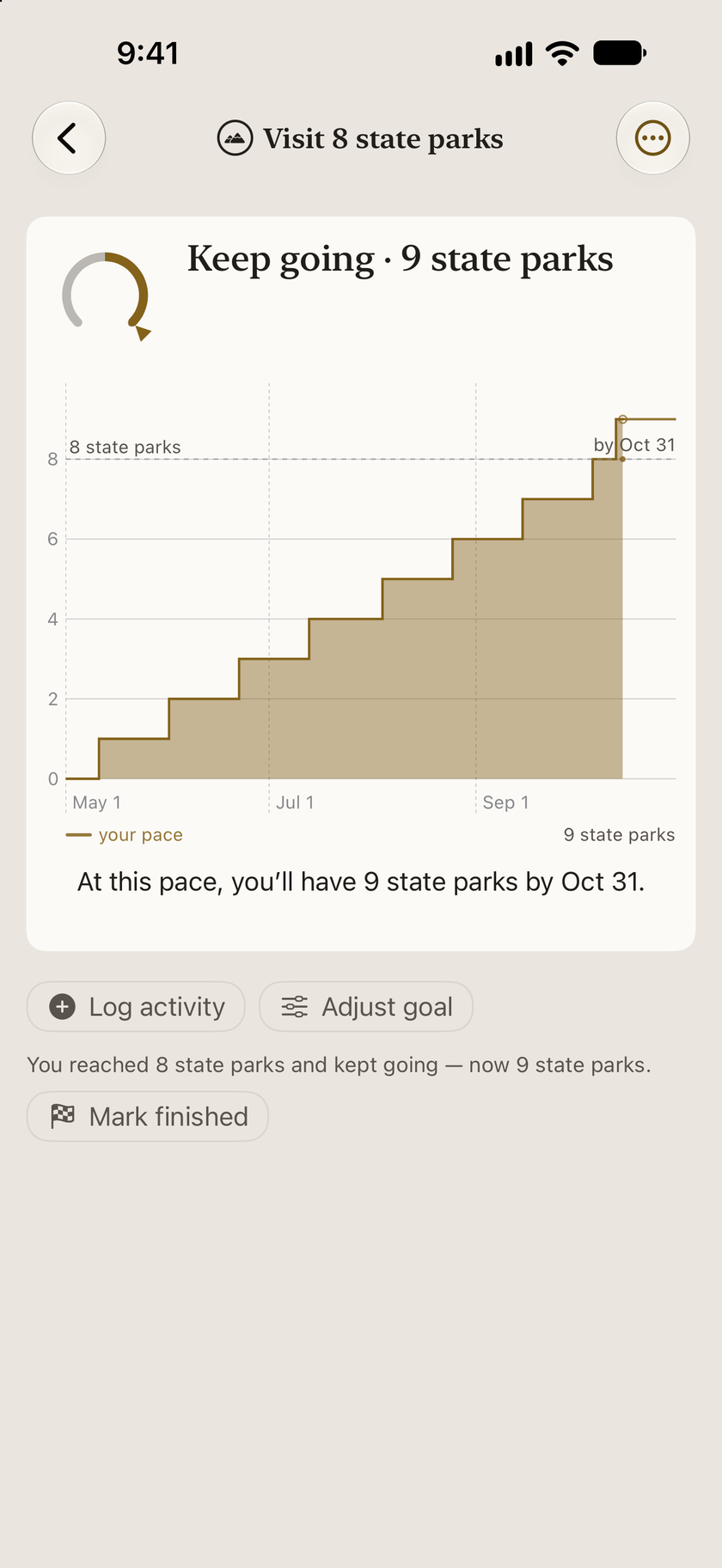
Every goal in Andante has an end. You finish it, its goal date arrives, or you set it aside. Whichever it is, the goal’s page shows a short look back at how it went, and a choice about what comes next.
Start fresh begins a new goal with the same plan and the next stretch of dates: another year of reading, another month of writing. The goal you finished moves to the Archive.
Keep going picks up where you left off. If you finished early, keep logging above your goal until your original goal date. If the goal date arrived before you finished, Keep going suggests a later goal date based on your pace.
Set aside moves a goal to the Archive, and you can resume it from there if you change your mind.
Andante comes with four rooms of a conservatory to choose from, each with its own palette in light and dark. Each room also has its own app icon.


Widgets for your Home Screen and Lock Screen show what today asks without opening the app. On iPad and Mac, work with your goals on a big screen.
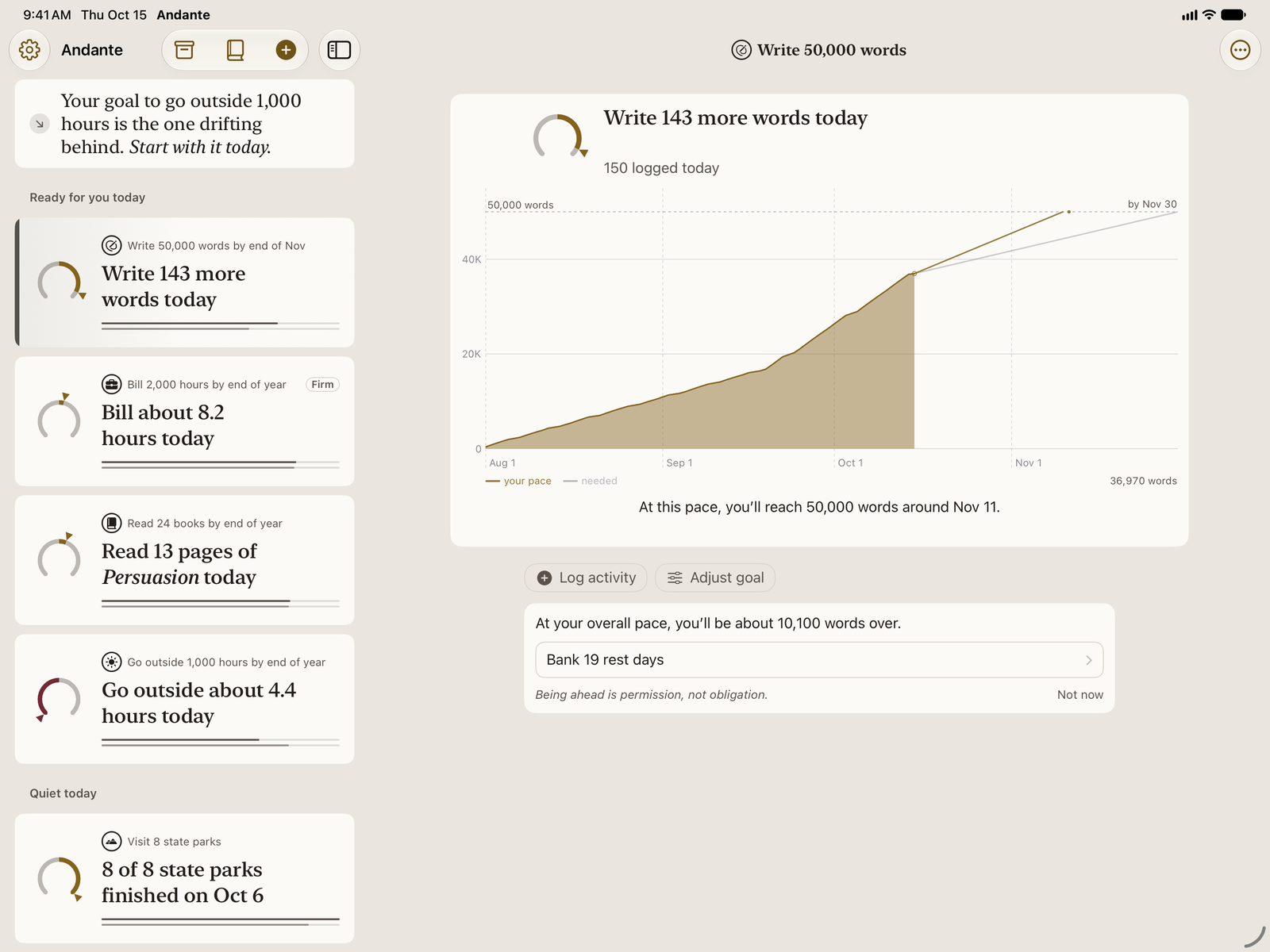
Andante looks across all your goals and tells you which one might need your attention next.
A morning reminder of today’s asks, and an evening reminder to log what you did today. Change the time or turn them off.
With iCloud, your goals and their history stay in sync across your iPhone, iPad, and Mac. Or save your own backup.
Share your progress with an accountability partner or friends. Or share a link so anyone with Andante can start the same goal.
A handful of goals already a few months in, where you can try everything in Andante before you make your own.
The in-app Guidebook explains every feature, complete with samples and illustrations.
Andante doesn’t collect anything about you or your goals. There’s no account to make, and we don’t run a server for the app. Your goals live on your device and, if you’re signed in to iCloud, in your own private iCloud storage.
$14.99
Unlimited goals, whenever you want them.
Requires iOS 26, iPadOS 26, or macOS 26 on a Mac with Apple silicon.